
John GBC
John emulatorsArcade
3.8561.00 Reviews
- Version
- v4.13
- Installs
- 100.00K
- Age Rating
- Everyone
Screenshots
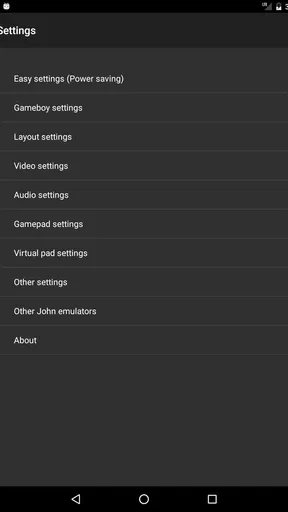
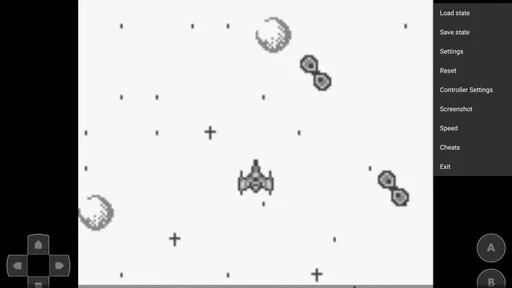
Our Review of John GBC
 Analysis by Appyee
Alright, folks, let’s dive into a little nostalgia trip with John GBC. If you’re anything like me, you probably have fond memories of those classic handheld gaming days. Well, guess what? This app is your ticket back to that era, right on your smartphone. Let’s take a look at what makes this emulator tick and why you might want it on your device.
What is John GBC?
So, John GBC is essentially an emulator for Android devices that lets you play all your favorite Game Boy Color games. Yes, you heard that right! It brings back those vibrant 8-bit adventures with just a few taps. The app supports a wide range of game formats, so you can load up pretty much any Game Boy Color ROM you have lying around.
Setting Up the App
Getting started with John GBC is a breeze. Once you’ve downloaded it from the Play Store, you’re pretty much ready to rock. The interface is straightforward and user-friendly, making it easy to navigate through your game library. Just load up your ROMs, and you’re off to the races. I found it super handy that the app automatically detects and displays all compatible games on your device. No fuss, no muss!
Features You’ll Love
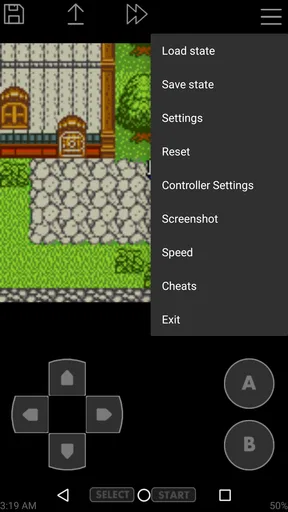
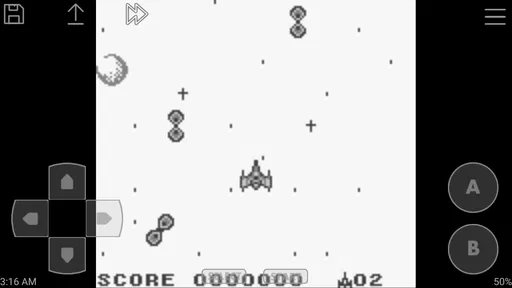
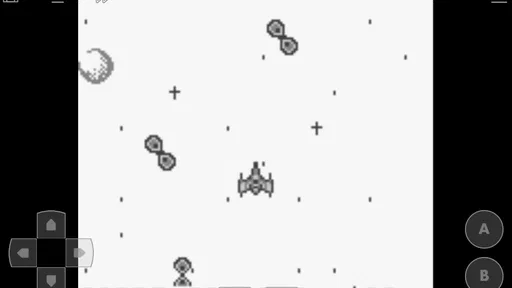
Now, let’s talk features. One of the standout things about John GBC is its customizable controls. You can adjust the layout to your liking, which is great if you’re particular about how you play. Plus, the app supports both on-screen controls and external controllers. So, whether you’re gaming on the go or setting up a mini console experience at home, you’re covered.
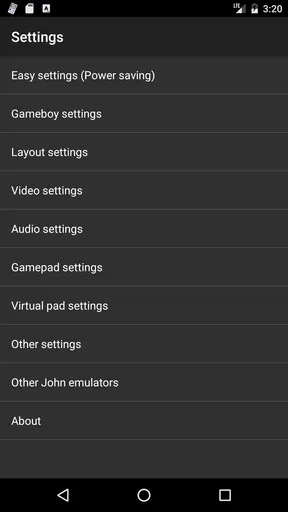
Another nifty feature is the save state functionality. Remember those times when your batteries would die mid-game? No worries here. You can save your progress at any point and pick up right where you left off. It’s a lifesaver, trust me. The app also boasts some cool display options, letting you tweak the graphics for a more authentic retro look or a smoothed-out modern feel.
Performance and Usability
When it comes to performance, John GBC runs like a dream. I tested it on a couple of different devices, and it handled everything smoothly. There were no noticeable lags or crashes, even with the more graphics-intensive titles. The sound emulation is spot on too, so you get that nostalgic chiptune goodness without any hiccups.
Usability-wise, it’s pretty much what you’d expect from a top-tier emulator. The app is regularly updated, ensuring compatibility with the latest Android versions and devices. And if you ever run into any issues, the developer is known for being receptive to feedback and quick with fixes.
Why You Should Give It a Shot
Alright, so why should you give John GBC a whirl? Well, if you’re a fan of classic gaming, it’s a no-brainer. The app is packed with features that make your gaming experience both enjoyable and hassle-free. Plus, it doesn’t hurt that it comes with a price tag that won’t break the bank. For what it offers, it’s honestly a steal.
Whether you’re revisiting old favorites or discovering new ones from the extensive Game Boy Color library, John GBC has you covered. It brings a piece of gaming history to your fingertips, and that’s something worth experiencing.
In conclusion, if you’re itching for a taste of retro gaming on your Android device, John GBC is the way to go. It’s user-friendly, feature-rich, and performs like a champ. So, what are you waiting for? Dive back into the pixelated adventures and relive the glory days of handheld gaming!
Verdict
Strengths of John GBC
- Smooth gameplay with minimal lag.
- Supports fast-forward and save states.
- Customizable on-screen controls.
- Compatible with many ROMs.
- Battery-efficient design.
Limitations of John GBC
- Limited cloud save options.
- No built-in ROM downloader.
- Occasional audio glitches.
- Ads in the free version.
- UI feels outdated.
Other Releases by John emulators
View All
John GBA
Arcade3.4
Similar Picks in This Category
View All
Subway Surfers
SYBO Games4.6

Stickman Party 234 MiniGames
PlayMax Game Studio4.6

Subway Princess Runner
Ivy4.4

Temple Run
Imangi Studios4.2

Zombie Tsunami
Mobigame SAS4.6

Stack Ball - Crash Platforms
CASUAL AZUR GAMES4.5
Frequently Asked Questions
What is John GBC?
John GBC is a popular emulator app designed for Android devices that allows users to play classic Game Boy Color games. It offers a range of features like customizable controls, save states, and cheat codes, making it a favorite among retro gaming enthusiasts. It supports a wide range of ROMs, ensuring endless gaming possibilities.
Is John GBC legal to use?
The legality of using John GBC depends on your use of the app. The emulator itself is legal, but downloading ROMs of games you don't own is typically against copyright laws. It's important to use ROMs from games you legally own to stay within legal boundaries and support developers.
What features does John GBC offer?
John GBC provides a variety of features to enhance the gaming experience. These include customizable on-screen controls, support for external controllers, fast-forward options, and multiple save states. Additionally, it supports cheat codes and allows you to fine-tune graphics settings for improved performance.
Are there any in-app purchases or ads in John GBC?
John GBC generally offers a straightforward experience with minimal ads, but this can vary based on the version you download. Some versions may offer in-app purchases to remove ads or unlock additional features. Always check the app details in the store for the most accurate information.
How do I install and set up games on John GBC?
To install and set up games on John GBC, first download the emulator from a trusted app store. Once installed, you'll need to acquire game ROMs legally and store them on your device. Open John GBC, navigate to the ROM files, and select the game you wish to play. The app will load the game, allowing you to configure controls and settings before starting.
Play our best games!


